Setting up Spot Margin on OKX in Singapore


Here's how to set up your Spot Margin trade on OKX in Singapore.
Step 1: Navigate to Margin Trading
Open the OKX app.
Tap Trade, or the GRID buton at the top left, and then select Margin.
Step 2: To Enable Margin Mode ensure the ‘Margin’ switch is turned on.
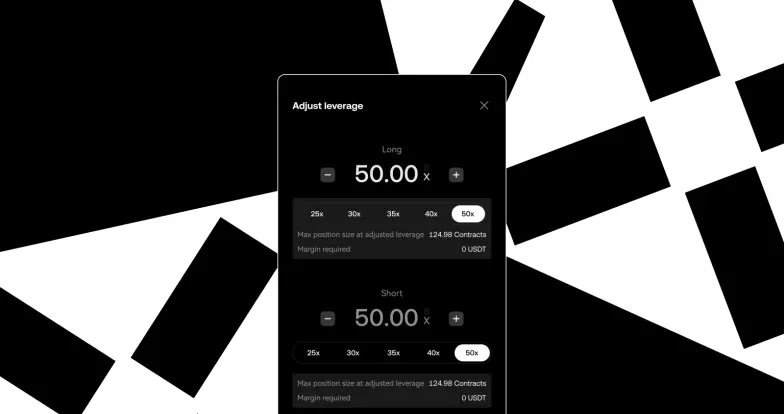
Step 3: Pick your desired margin-eligible trading pair (e.g., BTC/USDT), and adjust Borrowing Ratio
Step 4: Confirm Margin Order
Step 5: Tap the [confirm] button to execute the trade. You will see your opened trade under the Position & assets tab.
When you’re ready to close your position:
Sell the asset (if long), or buy it back (if short).
The borrowed amount + interest will be repaid from your margin balance.
Any remaining profit is yours.
Spot Margin trading is currently available only to Accredited Investors in Singapore. Verify as an Accredited Investor now, and gain access to Spot Margin
© 2025 OKX. Se permite la reproducción o distribución de este artículo completo, o pueden usarse extractos de 100 palabras o menos, siempre y cuando no sea para uso comercial. La reproducción o distribución del artículo en su totalidad también debe indicar claramente lo siguiente: "Este artículo es © 2025 OKX y se usa con autorización". Los fragmentos autorizados deben hacer referencia al nombre del artículo e incluir la atribución, por ejemplo, "Nombre del artículo, [nombre del autor, si corresponde], © 2025 OKX". Algunos contenidos pueden ser generados o ayudados por herramientas de inteligencia artificial (IA). No se permiten obras derivadas ni otros usos de este artículo.